Logo
Fasteners

*  NEW EVALUATION VERSION v0.2 *

Some problems with first time use corrected.

The standard fastener utility creates insertion blocks representing fasteners onto the current drawing sheet. It supports a large range of fastener types, both male and female, and allows several differing views of the fastener.

bb070 

This utility can reduce the time taken to draw a fastener from 5 minutes to a matter of seconds.


Movie Demonstration of Fastener Utility


Zipfile
ZIP file
943Kb

AVIFile02
AVI file
9.50Mb


bb070 

It removes the tedium of having to draw all the individual lines, arcs and circles.

bb070 

This utility allows the drawing of a large number of differing fasteners, of differing diameters and lengths in seconds without reference to a standard fastener specification or data sheet.

Download
Fastener Utility, Evaluation Version 1.1
141Kb

Functionality :

In the evaluation version of this utility ....

  • The fastener block is drawn on the current UCS at a specified point and angle and on the "0" layer.
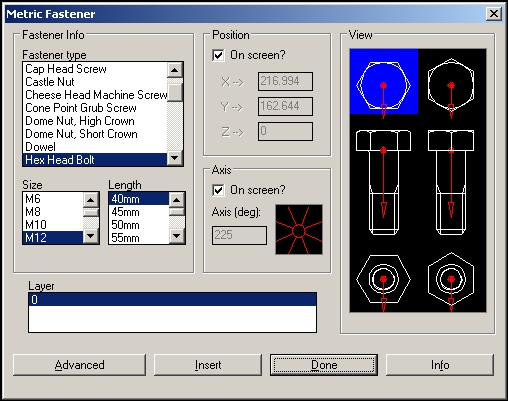
  • The fastener details are selected via a dialogue box.
  • Full and simplified representations of the fasteners are supported.
  • Dialogue box settings are retained by system.
  • Point and angle of fastener block can be chosen (picked) from drawing or input by hand.
  • Diameter and length of fastener selected from revisable database of fasteners.
  • Small selection of fastener supported in restricted version;
  • Six separate views of the fastener supported.

In the full version of this utility ....

Download AutoCAD
r2000 drawing of
supported fasteners

 acad       Zipfile02

  • "Smart" editing of fastener block is enabled (movie, ZIP file, 1.46Mb). Pick and drop to change fastener diameter and length (utility must be loaded).
  • Support for AutoCAD ‘LIST’ command to give fastener details (download screen shot).
  • Allows the user to specify the layer upon which the fastener blocks are inserted.


Fastener1

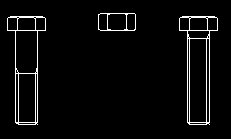
Only hex head bolts, screws and standard nuts are support in the evaluation version.

Fastener2

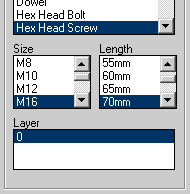
Fastener type, length, diameter and the layer the fastener representation is drawn onto is selected from list boxes on the dialogue box.

Fastener3

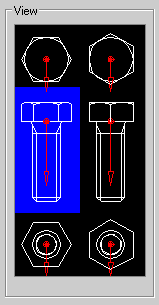
The fastener to be drawn is selected from a visual representation of the supported views.